Where would I be if it weren't for the birds and the bees

Category: Weekly Reflections

This is the category to apply to your weekly reflection posts from the course.

Reflecting on Joanna Lake

Creating Connections

I thoroughly enjoyed our presentation today by the bubble, passionate and knowledgable local teacher! In this blog post I will share the tidbits I found super practical and neat!
The main goal of the classroom is to build community and respectful, reciprocal relationships. Checking in with your students can be very empowering.


ATTENDANCE CAN BE DONE DIFFERENTLY 

Tara wood: mood scales
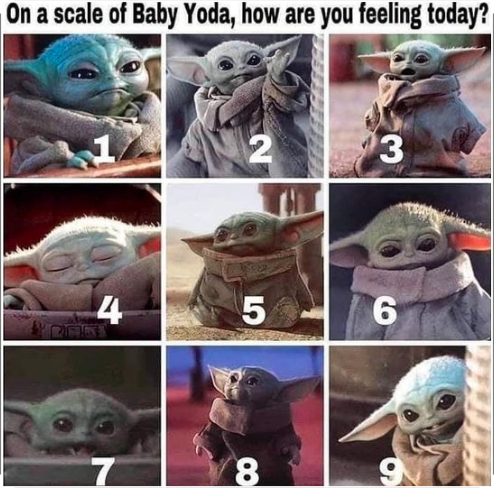

Taking attendance with numbers – allows for verbal and non-verbal learners.
Ask a question and students move their magnets or write their names on the board!
Mood Scales can also be linked to the curriculum!
Give students opportunities to feel in control of their surroundings. 
Joanna talked about the start of the school year when she lets the students design the room layout, chose what is important to hang on the walls.
Allow students to design the bulletin board. 
Allow yourself to step back and give students control. 

“The more I step back, the more I am amazed”

Joanna Lake


Board Notes = give students time to connect 
Routines = predictability
Allow students to know what to expect
Supporting visual learners with visual schedules. They are crucial, and it’s not banal to go over it in the morning.

First, Then – help students focus on what’s important right now. 
Survey students at the beginning of the year!

“What type of learning looks best for you? How do you like to sit in class? Where do you work best? How do you work best?”

When you find what you have been looking for but you weren’t even aware you were missing it: MIND BLOWN
Relaxing music timers
PRO TIP: start the timer when students are settled in


Help students get to know you!
Prepare pictures of oneself to introduce to the classroom!
Pictures of you at their age, pictures of your favourite things, places, foods


ASSESSMENT AS LEARNING

The power of self-assessment,
prompts for feedback, and time for reflection.
Anchor charts!
don’t leave it on the computer, bring the criteria to life! 

Co-creating rubrics is possible with students from Kindergarten to grade 12!
1. Set learning intention
2. brainwave criteria as a whole class
3. Model what you believe to be “emerging/developing/proficient” exemplars. Provide students with an opportunity to reflect and give feedback
4. Class creation of a final rubric
5. Students use this criterion to self-assess, peer review and teacher assess. 


“What did you notice about this video”
“What is my stretch, what is my strength?”
Talk literal with the students, speak to them about what is in the curriculum…

FLIP GRID

https://info.flipgrid.com/Writing

WRITING
Activity: The Sandwich
Using a mentor text, teach kids to write properly while giving them a solid background and support in their writing development. 
Opportunity for creative and fun assignments! 
Daily writing and personal reflections
Informational writing – light – thinking about structure
Research and informational writing with more structure


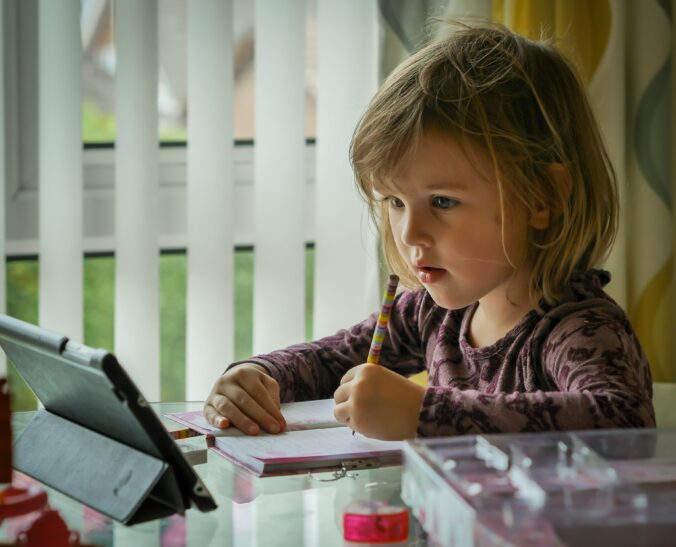
All these nuggets of information are really exciting to ponder while thinking about having a whole classroom of young learners looking at you with their beady eyes.

squares with smiley faces on them
Photo by Shubham Dhage on Unsplash

Teaching to CyberSpace

ONLINE LEARNING

“We often see what is possible by being forced to do something”

Paraphrased by Micheal, with respect to online learning

When I was in highschool, there were certain specialty courses that were offered online through a provincial online teaching department: L’École Victuelle. I remember taking a biology course with them because it was not offered at my school (not enough student interest or lack of a teacher? I cant remember
). I was not about to take chemistry and I did not want a free block either (super weird, go figure)
I appreciated the time to reflect on the pros and cons of online learning, and hearing the perspective of my peers. It can be easy to attach ourselves to the negative aspects, but this has been a roller-coaster that certainly has us feeling all the emotions. 
When it comes to accessibility, it is two fold. It can create enhancements to the learning experience, or create limitations. There is a glimpse into private spaces that could be deemed as inappropriate. We have families and individuals who are not familiar with today’s technology, or do not have devices. 

I really enjoyed the 5Rs for indigenizing online learning!
I found a case study online and a short Ted Talk!

  • RELATIONSHIP
    • RESPECT
      • RELEVANCE
        • RESPONSIBILITY
          • RECIPROCITY

Who is in control here?
As I reflect and ponder this metaverse and various classroom styles…
I wonder, is there a future where classrooms are hybrid?
Can that be possible?

Laptop with join us online written on the screen
Photo by Samantha Borges on Unsplash

Reflecting on Frameworks

Learning Design Models

Techno models writen on paper

The first time I understood what this meant was during my permaculture course. They emphasized that it is not a prescription, but more like guidelines that one can follow for best practices.

I do appreciate having a framework to guide my reasoning and future course of action with respect to student teachings. These are especially crucial when it comes to education and thinking about how we can guide learners down the path of sound knowledge and critical thinking.

SAMR

Created by Dr. Ruben Puentedura
How do we integrate technology in the classroom?
Dr proposes several ways :
– Substitution
– Augmentation
– Modification
– Redefinition

Jo Harris presents this model with further consideration:
Blooms Taxonomy!

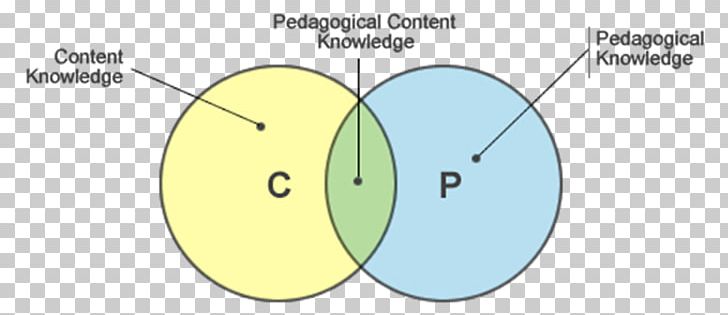
TPACK

Loved the joke, “this is not a famous rapper!”
The integration of Technological, Pedagogical And Content Knowledge
“The knowledge you have in teaching concepts and skills in your subject area AND the technology that is used to facilitate meaningful learning”
This is about creating self-confidence in our knowledge and practice!

IMGBIN.com
All that we are missing is the T !

With respect to what I am aware of, and what I want students to be aware of, how can we authentically use technology as a means to get students to comprehend and explore the learning content in various subjects!?!

I feel very fortunate with my experience substituting in the francophone district. As a linguistic minority, there are special privileges, and this includes a device for EVERY student, from kindergarten to grade 12.
I feel like there is an acceptance in the older grades to “often” be on their computers, working on various tasks, assignments and researching for projects.
But when we are working with the younger grades (grade 7 and under I’d say) I feel like teachers are more mindful of how much screen time students get in a day.

Most of the course content will get presented without technology. But perhaps a students’ final project on a unit might incorporate some technological component, or there will be a technology station set up during center times.

I have seen teachers in grade 1 going over the various functions of Scratch with their students.

I have seen teachers in grade 4 using scratch to demonstrate student understanding of residential schools and their impacts. (Yes, assessment!)

I have seen teachers in grade 5 allowing students to take pictures of their work to continually supplement their Freshgrade, if the student desired so.

Technology has many uses in the classroom. As teachers, it is crucial that we model good technological behaviour, from the physical use of the device to staying socially aware of our surroundings on the net and in the shared space, along with recognizing the power that can behold a user.

Students are no longer tricked into playing educational games. They know so.

As an educator, it is important to stress the privilege of having these devices, and how they are sussed as tools for learning in the classroom. But I get it, I was there, as a young learner, thinking I was so sneaky playing games while the teacher walks around the classroom helping other students.

Again, how can I encourage students to not turn into zombies, or worse… ?

Photo by Andrea De Santis on Unsplash

BC ED ACCESS

BC ED Access Society

I am a privileged white chick with full physical capabilities.

Friend

 I don’t want to be perceived as ignorant, but it can be easy to forget that some people struggle their way through every waking day.
Getting out of bed, taking a shower, ordering food, taking the bus, learning at school, performing at work, putting on a fresh pair of clothes

while these may seem like simple tasks, they can feel completely out of reach for certain individuals.

I thoroughly appreciated the presentation by Tracy Humphrey,
spokesperson for BC ED Access, an organization run by volunteers
dealing with human rights issues surrounding the process of advocacy to equally accessible education…

and here I am almost wide-mouthed wondering why is such
an important component of certain students’
accessibility to education, run solely by volunteers?
Shouldn’t this be part of a ministry department or something?

I have witnessed specialists come into the classroom with their clipboards and observe students.
 I have seen them come back with fancy stools, tools and objects, taking a flash minute to demonstrate to a student how to properly use these, rarely taking the time to discuss how it can benefit them as a learner in such a social environment


With that being said, I do have confidence in the psychoeducation specialists, whom I trust are doing the best they can with the resources appointed to them. I wish there were more of them and I wish they had greater powers.

More and more students are being designated, more and more students are in need of a designation. An increased number of students require specialized support to enable them to experience an enriching school atmosphere, one where they may show up as they are and follow the class flow.  More students are experiencing difficulties learning and coping in this social and dynamic world that never ceases to evolve, nor stops to amaze me.

Hand holding a bulb

Before I close this reflection there were a few words from Tracy’s presentation that stood out for me:

ABLEISM
I have been seeing this word increasingly on social media and the web. More people need to recognize the power and privilege they have, where they do not encounter barriers every day.
“Discrimination of and social prejudice against people with disabilities, based on the belief that typical abilities are supporter”
“Presumption that someone should be able to do”
“Rooted in the assumption that disabled people require fixing and defined people by their abilities, this is a neo-colonial assumption” 

BE PROACTIVE
As educators, we will be at the forefront of young children with disabilities, especially families and teachers navigating new circumstances as these traits come to light. I believe, as future educators, we will have to demonstrate flexibility through this telling time where there will be an increase in the diversity of needs, especially when it comes to accessibility to education and supporting resources.

ADVOCACY
Again, as future educators, we have to be ready to stand up for our students’ rights!

Curating Info + ED Camp

Curating Info + ED Camp

As a future educator, one of the comments I hear often is there are so many resources out there now, we spend more time sorting through them than actually searching for them…

Searching and collecting is half the task, but the question remains, what do you do with them? Where do you keep this bounty of lesson ideas and alluring activities?

Personally, I am all over the place right now. It must be part of the process, for you must try things out in order to see what works best for you, including what doesn’t.

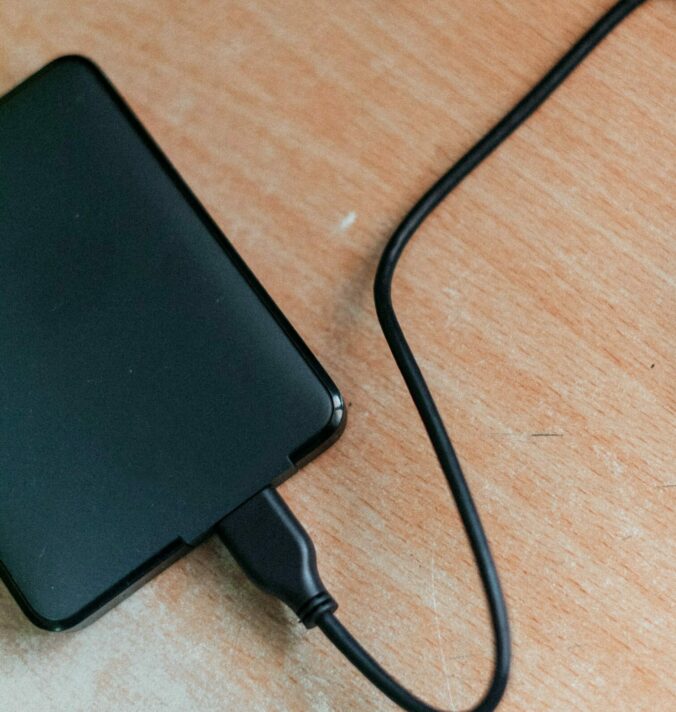
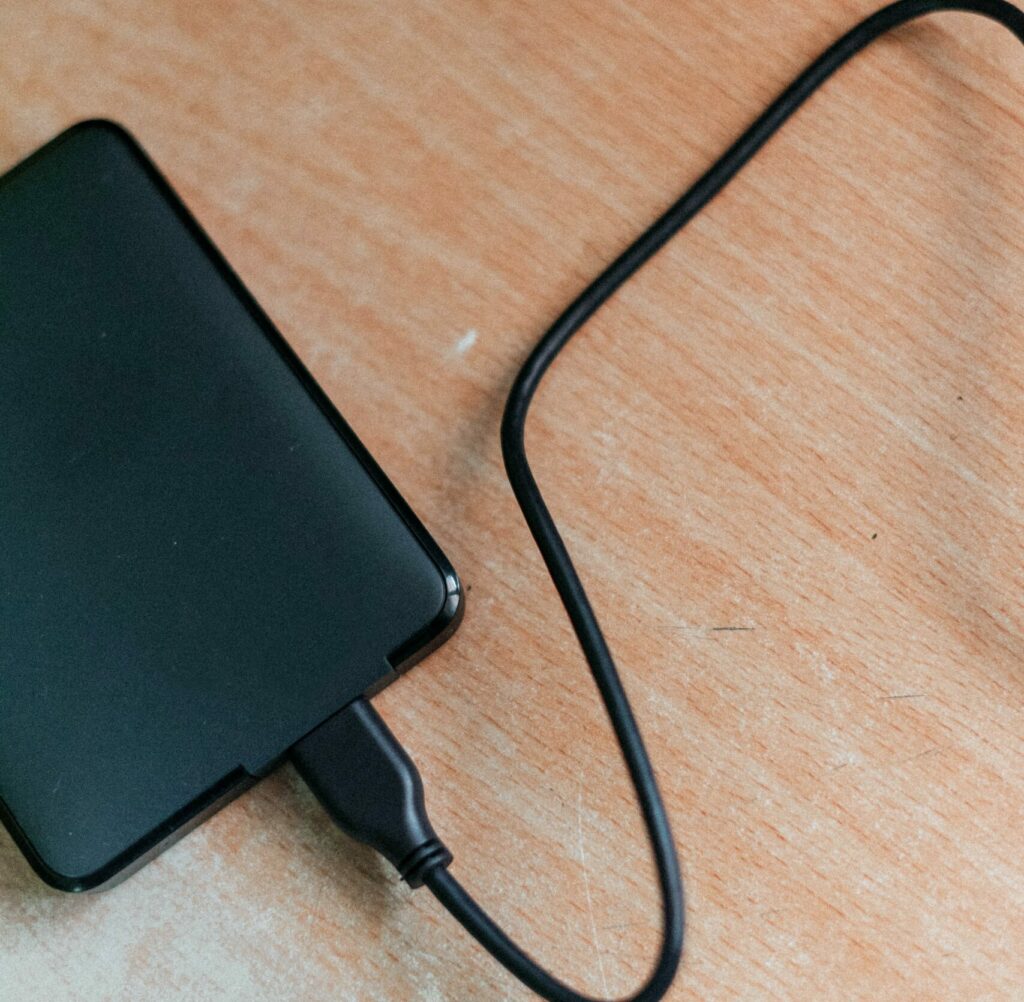
Halfway through university, my father purchased me an external hard drive, in an effort to remove data from my computer and help it “run a little smoother”.

Photo of an external harddrive

PRO: It can contain a lot,  1 TB of information to be exact. That represents 1 000 gigabytes (GB) or 100 000 000 megabytes (MG). 250 000 photos, 250 movies or 500 hours of HD, 6.5 million documents pages
.. Ya get it


CON: Compared to a cloud, this is a physical piece that you would have to have with you in order to access your files.

WEBSITE
This was the first time I was introduced to the concept of using a website to collect, hold and retrieve resources. Most websites are free and relatively easy to use and navigate. You could keep a website private, or public, depending on your preference and needs.

PRO:   
After set up, keeping a website up to date and uploading new resources as you find them should be straightforward. 
CON:
You have to be careful with the format of your uploads, and be mindful of copyrights. You should only be sharing resources you find on creative commons, you have received explicit confirmation to use.

GOOGLE DRIVE
Oh the cloud, anything you store on the drive can be retrieved anywhere with a stable internet connection, now that is powerful! Google is free and accessible in almost everywhere in the world!

phone screen showing a google icon

PRO:
No need to carry along a physical hard drive when it is all on the “cloud”, meaning you can always access your lesson ideas and resources from your computer. You can also make your documents available offline, meaning you won’t need an internet connection to access your information.
CON:
The storage offered by google drive is 15 GB (considerably less than an external hard drive)but it’s free.  Like many online storage softwares, it’s free until a certain threshold, and then you have to pay a fee, based on your needs.

I see the power! and I see the utility of strategically choosing one program, one place, one device to store your various files, whether it be for your personal or professional means!
I recommended you identify your needs, strengths, possible complications and try out a few of them! You never know what might give you an Ah-HA feeling.


ED CAMP


What an enriching experience it was to be blended with the other cohort and share topics of interest and expertise, with respect to education. I appreciated seeing friends taking on roles of leadership by sharing their knowledge and passions. In the teaching profession, there is an emphasis on collaboration and learning from one another!

Creating Graphics

THE POWER OF VISIAUL CUES!

I was blown away by the power and user-friendlyness of creating images in PowerPoint.
MIND BLOWN AND SHIFTED
I feel like I have just unlocked a gate to efficiency and merrymaking! Out are the days of struggling and fighting with Word or other applications like Preview. (for mac users, you know if you know!)
I had no idea.
In an effort to keep these important instructions from leaving my mental space, I will create a list of those attributes I found most interesting:

  • Hold the shift button for image sizing (keep the image squared!)
  • Display for page size (poster, letter, square)
  • Bringing segments forward, backward, to the back/front

This cohort amazes me. With no fear, they tackled the unknown and showed a willingness to unleash their creativity. They simply crack me up with their wit. I loved discovering what my peers were able to make in 12 minutes, seeing their personalities shine and they expressed themselves in graphics.
Soon we will get to the real serious business.

WORD MAP

Meditating on Jessy Millers Presentation

What Have I done….


Immediately following this presentation, I was left in a state of shock.
It took me all weekend to digest the bucket of information Jessy dumped on us.
I was questioning all my past actions and thinking about instances where I have probably crossed a line, potentially a legal line. I feel like I am fairly knowledgeable and competent when it comes to computers and technology, but I was also faced with the fact that, in the end, I know nothing about security and privacy.

A picture of the snapchat icon
Photo by Alexander Shatov on Unsplash
For all the pictures and videos I have sent over Snapchat, I am so disheartened and sorry that they will live FOREVER on a server in a faraway and unknown land...

This sparks the consideration that as future educators, we must be mindful as we balance our social, personal and professional spheres for we will be responsible for the vulnerable sector. This puts us in a position where we have a
DUTY OF CARE
and therefore it is of most importance that we reinforce our awareness as we navigate these networked spaces. 


The phone is on the kid, the kid is in the class, the class is in the school, the school is in the district….

It was disheartening to learn that students in middle school have a harder time dealing with the stressors of social media. Their poor brains are still developing and they simply can’t handle the pressure! It’s also not their fault that most adults around them are consumed and coerced into the social spheres and the potential of technology. Most adults did not get the opportunity to have good models to set the example. The promotion for a balance between life and technology is still being learnt for this new age of technology is still fairly recent.

While we won’t get the same level of usage and intensity of phones and computers say between, say a grade two student and a grade 12 graduate, here is a quick list of potent thoughts for reflection from Jessy: 

  • Personal use entitlement
  • Balancing professional expectations
  • Create open dialogue of usage with students and coworkers
  • Understand Social Media culture
  • Reflect on your use with co-workers
  • Learn how to be an ethical User
  • Value of information!
    (When it’s free, it’s because you are the product and they are selling our data!)

VIDEO GAME PLAY IS POSITIVELY CORRELATED WITH WELL-BEING


This is an article written by Andrew Prizybylski, a researcher that Jessy mentioned during his talk.

“My work is mainly concerned with applying psychological models of motivation and health to study how people interact with virtual environments including video games and social media.” 

I feel like I can trust this gentleman, and I plead for him to save us!

While I can appreciate his statement, on the surface I do not see any problems with playing video games. Nevertheless, I have encountered too many scenarios where young people are staying up for hours on end, unable to detach themselves from the game to catch some shut-eye. 

Suuure, I have had my share of late nights playing Mario Party until 4 in the morning, eating ramen at a sleepover
 I am not thinking of these one-off, festive nights that happen once in a blue moon, for these can be quite rewarding!

When individuals are playing for more than 8 hours a day, unless it is some sort of employment, I deplore the lack of moderation. While that sounds a little harsh, I appreciate not everyone has had positive role models for appropriate and healthy actions towards this hypnotizing pastime. I believe talking about it and creating self-awareness is a great first step, and this topic has its place in the classroom.

It’s time to party!

Photo by Egor Ivlev on Unsplash

Hot Pocket,

I Googled Myself

So, we have been discussing the importance of privacy, for ourselves and those around us. We have also been considering our digital footprints as we will be working in a position of care. Working with the vulnerable public puts us in a certain position of power where professionalism is required. I am almost surprised there is no mention of the digital world with the BCTF code of ethics… Unless I am not looking in the right place.

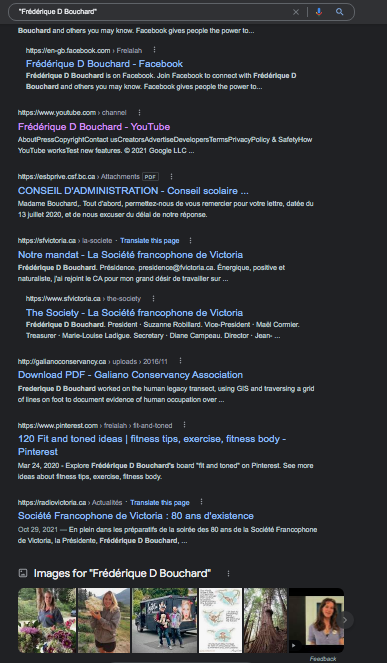
 I remember, as students in high school, we would google our names and feel a sense of dejection as nothing came up. Let’s face it, it was different times back then and it’s not like high schoolers have multiple opportunities to be published on the world wide web! It was with excitement and hesitancy that I entered my name in quotations and hit enter this week.
There were a few elements and hits that I was expecting and mentally ready for. As an avid volunteer within the francophone community of Victoria, I was not surprised to see a few publications and even a photo. Thank you google for painting a pretty portrait of me. 

AND OH ! the horror when I saw “120 Fit and tones Ideas – Pinterest”
WTC! How dare Pinterest chose THAT ONE BOARD, to show up for the entire whoever decides to google this name. I will admit, I am fairly embarrassed and also slightly petrified that Pinterest can and would do that?
I have since then changed my name on my Pinterest profile.
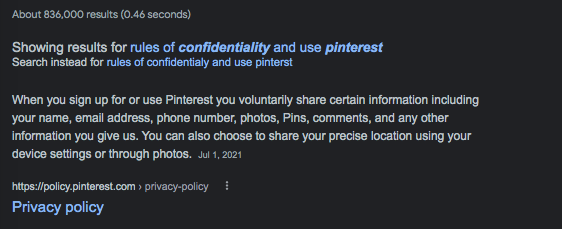
Next step: read the fine print.
Here is an article that could help elucidate the quack-jack behind this exposure from Pinterest. 
And let me just comment on the images this search puts forwards. Most of these pictures are pulled from Facebook where I have “liked” and commented on a photo. I suppose these come from a public profile, based on these public photos?
One is a picture I have “pinned” to a Pinterest board …
Oh the Murph, where does all this come from?


Zombies and Wizards

Zombies and Wizards

I was really nervous at the thought of creating a screencast! I think my primary fear is listening to a recording of my voice 
 Oh how we can sound different on the phone, it’s like our voice gets altered as it goes through electronic wavelengths!

Personal fears aside, I see so many benefits and opportunities with creating and presenting screencasts for classroom instruction. Most students are supported by visual clues, more than simply audio instructions. Okay sure, the debate on the 3 different learning styles  (visual, audio and kinetic) has kind of been debunked, but I am a firm believer in this powerful quote

“A picture is worth a thousand words”

Frederick R. Barnard

Students are increasingly being introduced to computers and tablets in the classroom. I am a graduate from the francophone school district, where every primary student gets access to a tablet and the high schoolers get a laptop
. Since substituting, I have seen a whole lot.

I’ve encountered students in grade four who are unable to use the keyboard to type up a story, students who are unaware of how to use the search bar, and most unfortunate, students that are so attached to the screen they have a hard time putting them away at the end of the lesson…

They remind me of zoooommbiies.

My most recent experience was in a grade 8 class, where students did not know how to access an attachment that came with an email… There is an assumption that students are part of a computer wizard generation for they have been surrounded by technology their whole lives, but I would argue that there are far more clueless than we think
 Sorry, clueless sounds rude. I don’t think it’s entirely their fault.

Scratch, GIMP, Comic book creators, Freshgrade, Magicavoxel
 there are countless applications students can use in the classroom in an effort to demonstrate their learning. While these are fun and dandy, it is our role as teachers to implicitly direct students around these tools and applications. Screencasting is a powerful and efficient way to share the necessary steps for meaningful engagement in learning. 

https://earth.nullschool.net/

An epic visualization of global weather conditions

I love the weather and I love cartography. I was introduced to this interactive website during my geography degree, and I often visit it when a storm is brewing. In a classroom setting, this website could be used to explore weather patterns and meteorological phenomena around the world. It is a great educational resource with many applications!
On Facebook, they have many time-lapse videos of their explorations! (Fires, storms, updates!


Shower Thought?

Oh sweet, bitter-sweet technology. It has certainly come a long way, constantly evolving at an increasing speed ever since I was a child. This has inevitably changed how our society functions and how we interact with one another
 for better or for worse, I will let you decide that for yourself.

Technology was created to make our lives easier, to make processes more efficient and connect the globe. When it works and the connections are solid, it can perform wonders that enable all walks of people to further their activities, business, inquiries… This flow of bandwidth, mega bites, and serotonin can be crucial in some cases. For business or for pleasure, whenever technology fails to function and operate as we desired, I am reminded that we are simply animals running around on a spinning rock.

Why is it that the students are so calm when you put them in front of a screen? Why are students are often more engaged in the material when it’s coming from a video. Why do they appear to listen more attentively?

Technology is here to stay. How can we educate the future citizens of this planet to regard their personal devices (that often get thrown in their faces) as a tool for their future development, to encourage curiosity and wonder?